Free Resume Templates
Browse ATS-friendly templates for every job search style. Compare classic, modern, and two-column examples, then customize yours in minutes.
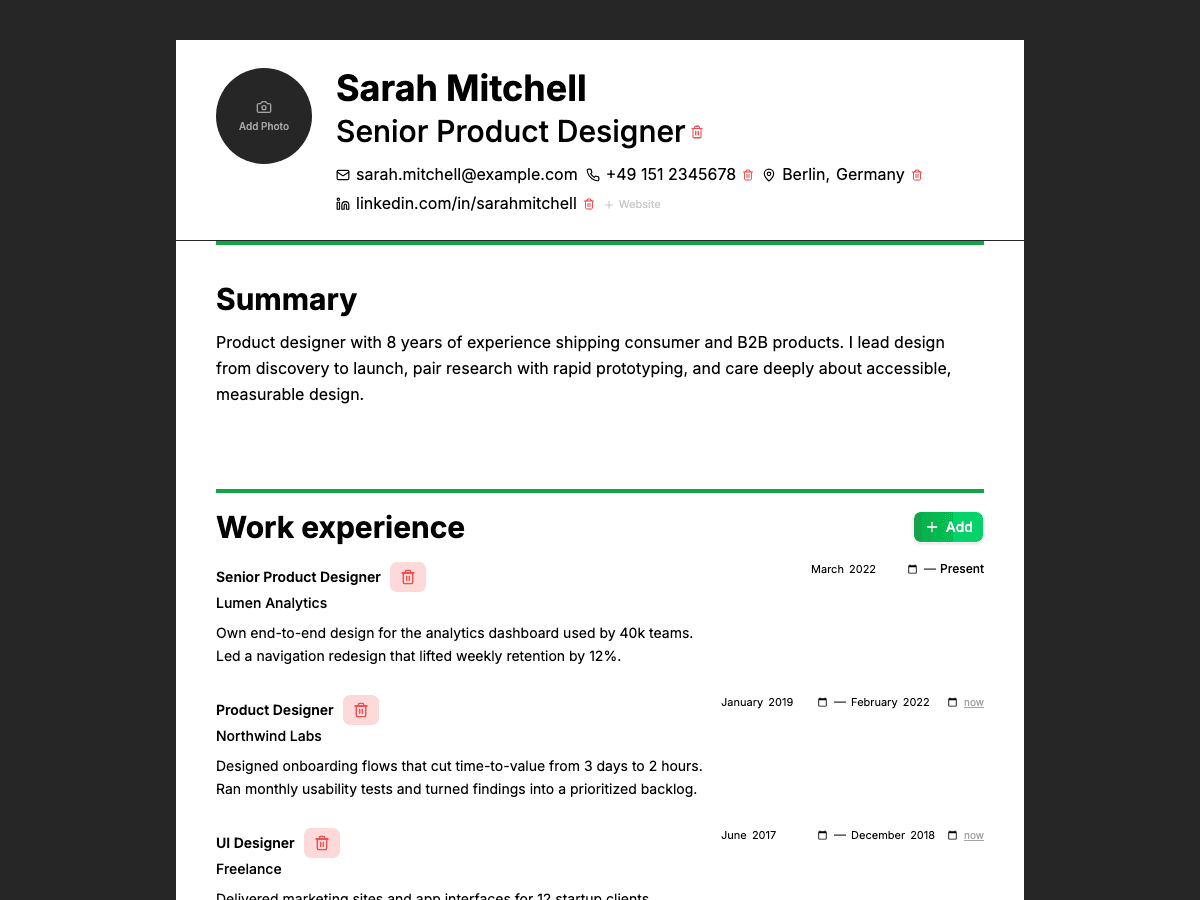
Classic template: safe, clean, ATS-first
The classic layout is ideal when you want maximum compatibility. It keeps your experience front and center with clear section headings, predictable structure, and formatting that works across nearly every ATS and recruiter workflow.
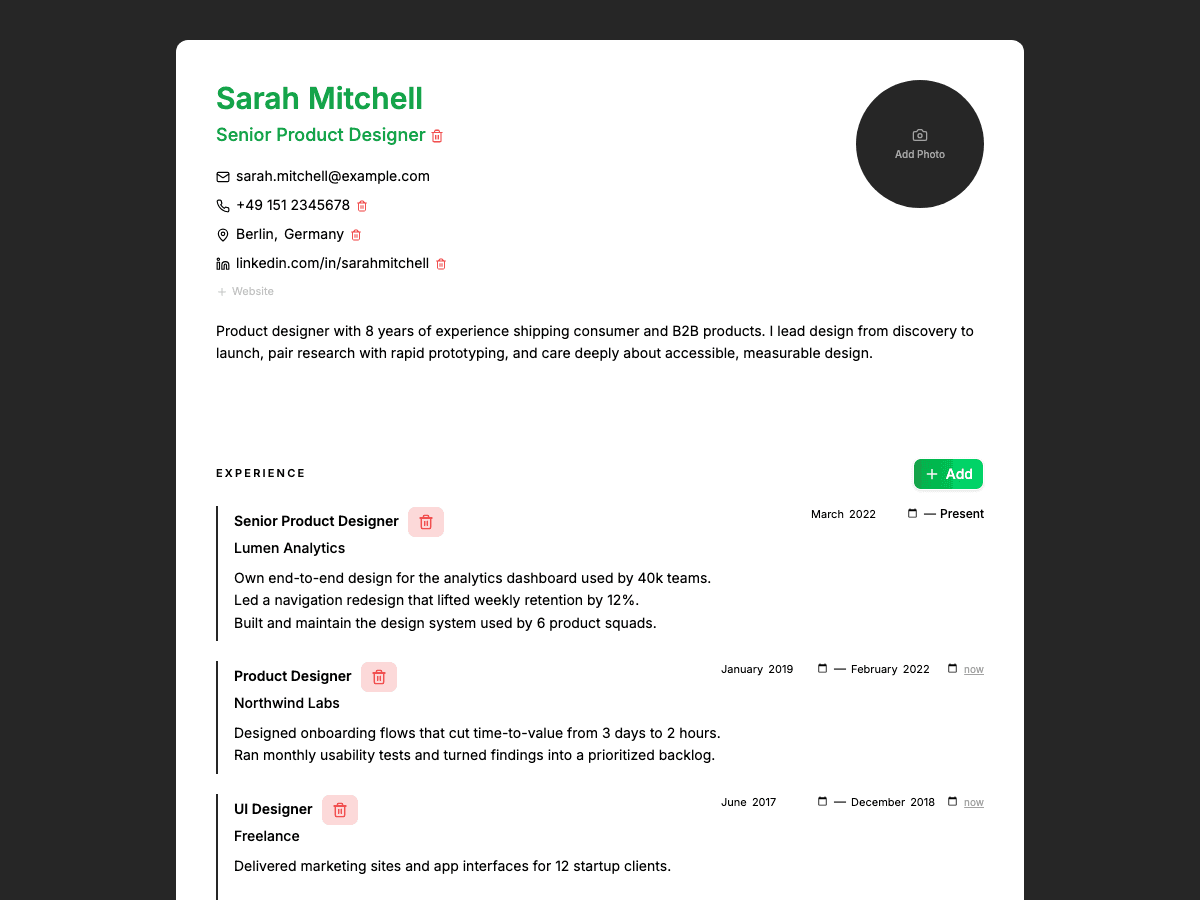
Modern template: polished and recruiter-friendly
The modern template adds stronger visual hierarchy while staying ATS-safe. Use it when you want a professional, contemporary look that still prioritizes readability, scannability, and keyword-rich content.
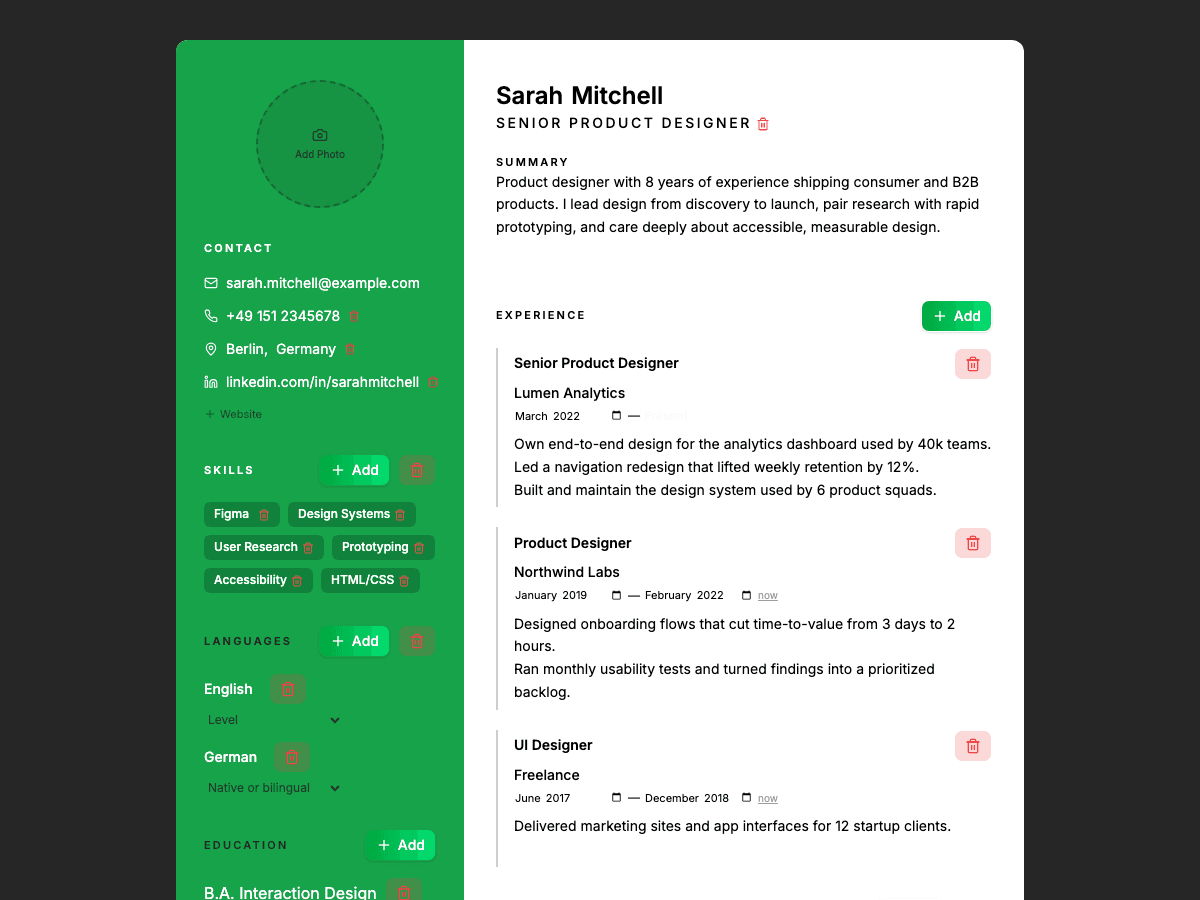
Two-column template: highlight skills fast
The two-column option is great for candidates with broad skills, certifications, or projects. It helps recruiters scan key qualifications quickly while preserving a structured layout that ATS tools can parse.
How it works
Get started in minutes
Browse templates
Pick classic, modern, or two-column
Customize with your experience
Download & apply
50K+
Resumes Built
3×
More Callbacks
94%
ATS Pass Rate
2 min
Avg. Build Time
Frequently Asked Questions
Are these resume templates really free?
Yes. You can choose any CVSHA template and start building for free.
Can I edit the templates in Word?
Yes. Download as DOCX and edit in Microsoft Word or Google Docs, or keep editing in CVSHA.
Which template is best for me?
Use classic for conservative industries, modern for a polished all-around look, and two-column when you need to showcase many skills or projects at a glance.
Ready to land more interviews?
Join 50,000+ job seekers who use CVSHA to get noticed.
Browse Templates — It's Free